Google TV & Chromecast Features You Aren’t Using (but Should)
4,237 View

- Publish Date:
- January 18, 2023
- Category:
- Future Tech Now
- Video License
- Standard License
- Imported From:
- Youtube
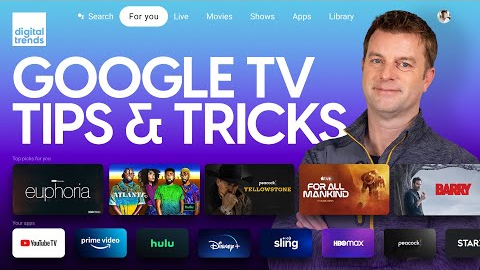
The Google TV platform is super powerful and versatile, but that also means it's easy to overlook some of the best ways to use it to your advantage. In this video we'll show you how to customize Google TV so that it looks and acts exactly how you want it, whether that's turning on app-only mode, controlling Google TV content suggestions, maximizing privacy, or turning Google TV off altogether. By following our tips and tricks you can get the most from any Google TV device including Chromecast with Google TV, Sony Google TVs, TCL Google TVs & Hisense Google TVs.
Read more at digitaltrends.com
What is Google TV? Here’s everything you need to know: https://www.digitaltrends.com/home-theater/what-is-google-tv/
The best Google TVs of 2023: https://www.digitaltrends.com/home-theater/the-best-google-tvs/
Google TV tips and tricks you need to start using now: https://www.digitaltrends.com/home-theater/google-tv-tips-and-tricks/
What’s the difference between Google TV and Android TV?: https://www.digitaltrends.com/home-theater/whats-the-difference-between-google-tv-and-android-tv/
Google TV vs. Roku TV: https://www.digitaltrends.com/home-theater/google-tv-vs-roku-tv/
Google Chromecast tips and tricks: https://www.digitaltrends.com/home-theater/tips-and-tricks-for-using-google-chromecast/
Common Google Chromecast issues and how to fix them: https://www.digitaltrends.com/home-theater/common-google-chromecast-problems-and-how-to-fix-them/
Best streaming devices for 2023: https://www.digitaltrends.com/home-theater/best-streaming-devices/
00:00 Intro
00:47 Enabling Basic Mode
01:59 Customizing Your Home Screen
02:26 Enabling App Only Mode
02:59 Adjusting Content Recommendations
03:38 Profile Settings
04:41 Re-ordering Apps
05:08 Changing Your Screensaver
06:12 Using Your Own Photos as Screensavers
07:08 More Screensaver Customization
07:49 Watchlist Settings
08:38 Kids Profiles & Parental Controls
10:09 Privacy Settings
11:45 How to Use Chromecast
12:46 Final Thoughts
SUBSCRIBE FOR THE LATEST VIDEOS
http://bit.ly/DTYouTubeSub
VISIT DIGITAL TRENDS
https://www.digitaltrends.com/
Digital Trends may earn a commission when you buy through links on our channels.
FOLLOW US!
https://www.facebook.com/digitaltrends
https://twitter.com/digitaltrends
https://www.instagram.com/digitaltrends
https://channelstore.roku.com/details/a6ac9ebbc3653bf44cdc4ee12cf0bc15/digital-trends
#chromecast #hacks #tips #cordcutting #googletv #google #howto #streaming #streamingdevice #tipsandtricks #guide #explained #digitaltrends #hometheater #sonytv #tcl #tcltv #hisense #hisensetv #sony #streamingtv
By: Digital Trends
Title: Google TV & Chromecast Features You Aren’t Using (but Should)
Sourced From: www.youtube.com/watch?v=ekUFpTPpu0A
Did you miss our previous article...
https://virallyfe.com/future-tech-now/7-strangest-rc-aircraft