How to Factory Reset a Sony TV
539 View

- Publish Date:
- August 31, 2024
- Category:
- Future Tech Now
- Video License
- Standard License
- Imported From:
- Youtube
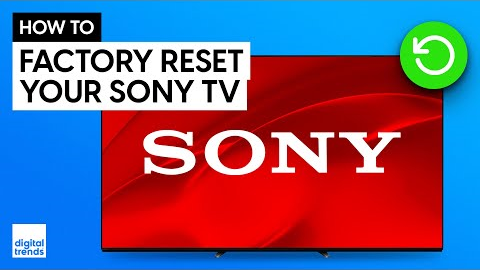
If you need to perform a factory reset on your Sony TV, it’s a straightforward process but requires careful consideration. A factory reset is useful if you're selling, returning, or giving away the TV and want to remove your personal data.
To start, from the home screen, press the settings button on your remote, then select "All Settings." Navigate to "System," then "About," and choose "Reset." This will erase all data and restore the TV to its original factory settings. However, if you only need to fix minor issues, a restart might be a better option. To restart the TV, follow the same steps to reach the "System" menu, but select "Restart" instead. This won’t erase your data or require you to re-enter login information for apps.
For more tips and guides, subscribe to the channel and check out Caleb Denison’s "You Asked" series for answers to specific home theater questions.
MORE TIPS FOR SETTING UP YOUR 4K TV
https://www.digitaltrends.com/home-theater/everything-you-need-to-set-up-your-tv/
- - -
DIGITAL TRENDS' RECOMMENDED TVS🔥
🛒 Sony A95L OLED: https://howl.me/ckPHE8U8NXX
🛒 LG G4 OLED: https://howl.me/cmdWEJnTghX
Samsung S95D OLED: https://howl.me/cmowVoL2UqH
🛒 Samsung S95C OLED: https://howl.me/cjIQVW8eQW9
🛒 LG M3 Wireless OLED: https://howl.me/ckkBl8JlJ7I
🛒 TCL QM8 QD-Mini LED: https://howl.me/cmgP2w1tYOB
🛒 Hisense U8N: https://howl.me/clXlYBOlxlb
🛒 Sony Bravia 9: https://howl.me/cmdWri7gNOH
🛒 LG C4 OLED: https://howl.me/cmdWE4MiZdB
🛒 Samsung QN90C QLED: https://howl.me/cj9DuYdSs4l
These recommendations are current as of publish of this video and subject to change.
- - -
NIT-NERDS MERCH AVAILBLE HERE!
https://my-store-e80770.creator-spring.com/
BEHIND THE SCENES
https://www.youtube.com/watch?v=sFZ661IZdxQ
https://www.youtube.com/watch?v=y0WVRjSATWw
SUPPORT OUR PARTNERS
Each of the partners listed below has been integral in helping our channel continue to grow. We love their products and think you will too, please help support them by checking out the links below.
🤝 BDI Elements Media Console: https://bit.ly/44sBo7s
🤝 BDI Reveal Coffee Table: https://bit.ly/3R5q79M
🤝 BDI Serif Side Table: https://bit.ly/3R5pZHk
🤝 Acoustic Treatment: http://www.acousticservices.info/
🤝 Artlist Music: https://artlist.io/referral/142302/Digital
🤝 RØDE Wireless Pro: https://brandstore.rode.com/products/wireless-pro?sca_ref=4584951.fVzTeSQa5y&sca_source=YouTube
🤝 RØDE NT5 Matched Pair: https://rode.com/en-us/microphones/studio-condenser/nt5?sca_ref=4584951.fVzTeSQa5y&sca_source=YouTube
🤝 Polk Reserve Series R600 Floorstanding Tower Speakers: https://amzn.to/3pWb9Il
SUBSCRIBE FOR THE LATEST VIDEOS
http://bit.ly/DTYouTubeSub
VISIT DIGITAL TRENDS
https://www.digitaltrends.com/
Digital Trends may earn a commission when you buy through links on our channels.
FOLLOW US!
https://www.facebook.com/digitaltrends
https://twitter.com/digitaltrends
https://www.instagram.com/digitaltrends
By: Digital Trends
Title: How to Factory Reset a Sony TV
Sourced From: www.youtube.com/watch?v=d6V6pseU0Go